27:08
AI video generation
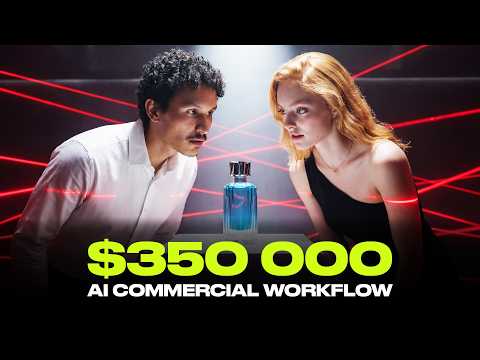
The video presents Adil's five-step AI workflow (characters, locations, keyframing, video generation, editing) inside Higgsfield's Kickstart Cinema Studio 2.5, used solo in under 24 hours to produce a full cinematic perfume commercial for 5,420 credits and 6 hours of labor — a cost the creator then has an agency estimate at roughly $300,000 for a traditionally produced equivalent.
A five-step workflow structures the whole production: Characters, Locations, Keyframing, Video Generation, and Editing.
Character creation follows a guided flow: genre → budget tier → era → archetype → identity details (gender, ethnicity, age, hair, facial features) → outfit description in natural language, ending in an auto-generated character sheet for consistency.
Location prompts follow a three-part structure: architectural details, lighting, and emotional mood.
Claude is used to expand a simple description into a detailed keyframe prompt, framed as a necessary step 'in 2026'.
Multi-shot auto mode generates several camera angles per scene to choose from; multi-shot manual mode lets the creator set explicit duration per shot.
The last frame of a generated clip can be reused as the start frame of the next scene for continuity and efficiency.
Small texture and background details (wall, floor) are claimed to significantly affect the final generated output.
Consistency of layout, object position, and product color across a CCTV-style multi-angle sequence is treated as the most important requirement, enforced by reusing the same reference image.
Camera movement can be specified with a single keyword (e.g., 'zoom in') without writing a full text prompt.
DaVinci is used in post to add lens distortion and scanlines for cinematic tension.
A character sheet can be modified (e.g., a bald variant) to create an altered/disguised version of the same character for the plot.
Props/items (perfume bottle, ID card, blowgun, sleep dart) are generated as standalone image assets before being placed into scenes.
Total cost of the finished commercial is stated as 5,420 credits plus 6 hours of the creator's time.
An agency contacted by the creator estimates a comparable traditionally-produced commercial would cost around $300,000.
An 8-character promo code is scattered throughout the video; the first 100 viewers to assemble and redeem it get 500 credits.
Five-step ad production workflow (Characters → Locations → Keyframing → Video Generation → Editing) — The overarching sequence the video teaches for turning a concept into a finished AI commercial in Kickstart Cinema Studio 2.5. Apply: Work through the steps in order: build characters and character sheets, build locations, generate keyframes, animate keyframes into video, then edit all clips into a final cut.
Guided character creation flow — A structured selection process (genre, budget tier, era, archetype, identity details, outfit) used to generate a consistent lead character. Apply: Pick genre, budget, era, and archetype first, then refine gender, ethnicity, age, hair, and facial features, and describe the outfit in plain natural language (e.g., 'black tuxedo').
Character sheet generation — An auto-generated reference sheet of a character used to keep their appearance consistent across later generations. Apply: Generate the character sheet immediately after finalizing a character and attach it as a reference image in subsequent keyframe/video generations.
Three-part location prompt structure — A prompt template for locations composed of architectural details, lighting, and emotional mood. Apply: Write location prompts as: physical/architectural description → lighting description → emotional atmosphere, e.g. 'Gatsby style mansion lobby, grand twin staircases, glossy marble floor under warm golden lights, elegant yet slightly ominous atmosphere.'
Claude-powered keyframe prompt expansion — Using an LLM (Claude) to turn a short, simple scene description into a fully detailed keyframe generation prompt. Apply: Ask Claude with a starter pattern like 'give me a detailed prompt to generate a keyframe. I want a [simple description]' before generating the keyframe.
Multi-shot auto mode — A generation mode that produces multiple camera-angle variations of a scene automatically for the creator to pick from. Apply: Use multi-shot auto mode when you want several angle options of the same moment to choose the best one from, at a cost of about 96 credits per generation.
Multi-shot manual mode — A generation mode where the creator explicitly sets the duration of each individual shot within a multi-shot sequence. Apply: Use manual mode when precise pacing matters, specifying exact durations (e.g., 5 seconds then 7 seconds) for consecutive shots.
Frame-chaining (last-frame reuse) — Reusing the final frame of a generated clip as the start frame for the next scene to maintain visual continuity. Apply: When moving to a new shot in the same continuous sequence, feed the previous clip's last frame back in as the new start frame instead of generating one from scratch.
Reference image attachment for consistency — Attaching prior screenshots, character sheets, or location images as visual references when generating new keyframes or clips. Apply: Attach the relevant character sheet and/or location screenshot as references whenever generating a new keyframe that needs to match earlier scenes.
Start-frame/end-frame keyframe blending — Generating a transition clip by defining both a start frame and an end frame and letting the model animate between them. Apply: For a transition or dramatic beat, generate distinct start and end keyframes first, then request a single-shot video that blends from one to the other.
CCTV corner-angle consistency technique — A method for keeping a security-camera-style shot sequence coherent by reusing the same room reference across corner-mounted camera angles. Apply: When building a CCTV-style sequence, keep the room layout, object positions, and colors identical across shots by referencing the same original room image for every angle.
Keyword-only camera movement control — Specifying camera motion (e.g., zoom) using a single keyword rather than a full descriptive prompt. Apply: Use a bare movement keyword like 'zoom in' when you want a specific camera motion without writing out a detailed text prompt.
Post-production cinematic effects (DaVinci pass) — Adding lens distortion and scanline effects in DaVinci after generation to increase cinematic tension. Apply: Run finished clips through DaVinci to layer in lens distortion and scanline effects before final assembly.
Character sheet modification for cast variants — Editing an existing character sheet (e.g., adding a bald variant) to produce an altered version of the same character for plot purposes. Apply: Modify the established character sheet rather than creating a new character when the story needs a disguised or altered version of an existing character.
Standalone prop/item generation — Generating individual props (perfume bottle, ID card, blowgun, sleep dart) as separate image assets before placing them into scenes. Apply: Generate each key prop as its own image first, then attach it as a reference when composing scenes that need it to appear consistently.
Low-angle dramatic camera placement — Positioning the camera below the character to create a dramatic, powerful framing for tense moments. Apply: For high-tension dramatic beats, specify a low camera angle placed below the character rather than eye-level or high angles.
Credit-cost-aware sequencing (location/angle before character) — A cost-management practice of locking in the correct location and camera angle before adding a character into the scene. Apply: Iterate on and finalize the background/angle first; only add the character once the location and angle are confirmed correct, to avoid re-spending credits on failed combined generations.
The creator states getting the location and camera angle exactly right before adding a character is important because mistakes compound once a person is layered in, wasting credits ('Make sure you get the location first or the angle first correctly and then you can add your person').
For scenes with movement or action, running several parallel multi-shot generations is presented as more efficient than trying to perfect a single generation in one pass.
Reusing the last frame of a prior clip as the next scene's start frame functions as both a continuity technique and an implicit cost-saver, since it avoids generating a fresh frame from scratch.
Prompt-writing is treated as its own sub-skill requiring LLM assistance (Claude) rather than manual prompting, elevated to a discrete step in the workflow rather than an afterthought.
The creator closes the loop on the value claim not by asserting a price but by calling a real agency on camera and having them quote a number, using that as external validation of the AI method's cost advantage.
«For luxury brands, you don't sell the product, you sell feeling.»
— 00:36
«Come on, it's 2026. You got to leverage the LLMs.»
— 07:13
«You start your prompt with give me a detailed prompt to generate a keyframe. I want a [description] and then describe the image you want in simple terms. This saves you so much time and credits by avoiding bad generations.»
— 07:21
«For this kind of task with a bunch of movement, action, timing, running multiple generations in multi-shot works really well. It helps you land the right moment instead of trying to get everything perfect in one go.»
— 11:51
«These are small details, but they do affect the final result, like a lot.»
— 12:21
«The most important part here is consistency. The layout of the room, the position of the pedestal, the color of the perfume, all of that has to exactly the same.»
— 19:43
«Learned from my mistakes, guys. Don't waste your credits. Make sure you get the location first or the angle first correctly and then you can add your person.»
— 20:12
«I love this frame.»
— 23:13
«even Maria falls in love with Orlando when he sprays the perfume on himself.»
— 23:51
«All right, this whole thing cost me 5,420 credits and 6 hours of my time.»
— 26:10
«Generally, something like that's going to land somewhere around $300,000.»
— 26:21
«This is your sign. Go and get that bag.»
— 26:45
Reception
Enthusiasm for the creative execution is overwhelmed by widespread criticism of high costs, overstated commercial capabilities, quality artifacts, and concerns about accessibility for ordinary creators.
This is simultaneously a fairly granular workflow tutorial for Higgsfield's Cinema Studio 2.5 and an extended promotional stunt for the platform, using a real agency price quote and a scattered promo code as persuasive devices around the five-step method it documents.
27:08