08:39
Higgsfield
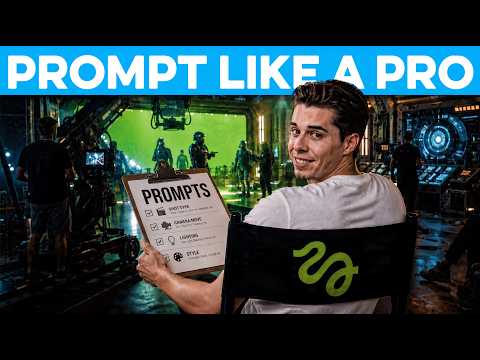
The video argues that Higgsfield clips look 'like AI' not because of the user's lack of skill but because of a specific prompting method used by real filmmaker teams, and it teaches that method step by step: anchor every generation to one consistent first frame, then layer in emotion-over-choreography direction, disciplined three-part shot control, negative prompts, and a style prefix, before finally restructuring the whole prompt into labeled JSON on a film-tuned model.
The video's central claim is that Higgsfield outputs look 'like AI' due to prompting method, not user skill.
Real filmmaker teams reportedly prioritize keeping a character's face consistent across shots above all else, citing Ettore Gioldascali's sci-fi pilot 'Arena Zero' (a team of four running over 5,000 generations while keeping every character hyperrealistic from start to finish).
The method starts by generating a single clean first-frame image (in Cinema Studio 3.5, image mode, using a multi-angle reference sheet) and reusing that exact frame as the starting image for every later generation.
The same first-frame anchoring trick is said to apply beyond faces — to products, cars, or specific rooms that need to appear consistently across multiple angles.
Before adding any direction, the video generates a 'bare' prompt (just the action plus the spoken line) as a baseline, which produces a technically decent but emotionally flat delivery.
The video's stated diagnostic principle is to add exactly one instruction at a time, so you can identify which specific words changed the output rather than piling in every instruction at once and being unable to tell what broke.
The claimed common mistake is directing physical choreography (e.g. 'he takes the yoke, then looks at the shield'), which the model allegedly ignores or fakes half of; the fix given is one line directing emotion and vocal delivery instead.
Camera control is framed as the single hardest thing to direct: saying nothing lets the model frame shots randomly, while scripting every second causes the model to insert its own extra cuts.
The recommended camera approach narrows to three elements only: where the camera is, how it moves, and where it cuts.
A shot generated without its own dedicated first frame is described as the least consistency-anchored part of a sequence and typically needs the most retries; Higgsfield's built-in camera movement setting is offered as an additional lever.
Negative prompts are split into generic AI-defect suppression (extra fingers, weird faces, random subtitles) and scene-specific negatives tailored to what keeps breaking a particular shot (e.g. no music, no daylight outside the windows, no duplicated instrument-panel labels).
A style prefix sets the film look (lens, lighting, color) and enforces a hard 'no music' rule for audio.
A single massive block-of-text prompt is called fragile, since any edit requires rewriting the whole thing, so the video restructures the finished prompt into labeled JSON fields using the free tool videoprompt.studio, trimming to fit its character limit and adding trimmed details back in.
The video recommends setting the model to one it calls 'seed ants,' described as built specifically for film and better at camera angles, fine detail, and cinematic shots than generalist models, which default toward fast, busy, quick-cut social-video motion.
Structuring the prompt as JSON is claimed to let creators change one field (e.g., lighting or a cut) without affecting the performance, enabling a small team to scale to thousands of generations while preserving character consistency — tied back to the Ettore Gioldascali example.
First Frame Anchoring — Generating one clean reference image of the character (or product/car/room) in Cinema Studio 3.5's image mode from a multi-angle reference sheet, then setting that image as the first frame of every subsequent generation so the model continues from a real image instead of imagining the subject from scratch. Apply: Upload a multi-angle reference sheet, generate a single first-frame image describing the character and shot, and reuse that exact frame as the starting image for every later generation to keep faces, products, cars, or rooms consistent across shots.
Bare Prompt Baseline / One-Variable-at-a-Time Prompting — Starting a generation with only the bare action and dialogue line, then adding exactly one new instruction per generation so each addition's effect can be isolated. Apply: Generate first with just 'what happens plus the line he says and nothing else,' then add a single new instruction (emotion, camera, negatives, style) per re-generation to see which words the model actually obeys versus ignores.
Emotion-Over-Choreography Direction — Directing the character's emotional state and delivery of the line rather than describing a sequence of physical actions, since the video claims the model 'either ignores half of it or just pretends as if it doesn't see it' when given choreography. Apply: Replace step-by-step physical blocking (e.g., 'he takes the yoke, then looks at the shield') with a single line describing the emotion and vocal delivery, such as 'He's terrified and fighting to stay calm, his voice tight and breaking.'
Three-Part Shot Direction — A camera-control approach limiting direction to three elements — where the camera is, how it moves, and where it cuts — instead of leaving the camera undirected or scripting every second. Apply: Write shots as short beats specifying camera position, movement, and cut points only (e.g., a close push-in shot cutting once to a tight side angle), avoiding per-second detail that causes the model to insert random extra cuts.
Camera Movement Setting — A built-in Higgsfield control, separate from the text prompt, that lets you specify camera movement directly on the generation. Apply: Use Higgsfield's camera movement setting on the prompt itself when a shot, such as an unanchored second angle, needs more reliable camera control than text description alone provides.
Negative Prompting — A list, separate from the main prompt, of elements that should never appear in the output — both generic AI defects (extra fingers, weird-looking faces, random subtitles) and scene-specific negatives that keep breaking a particular shot. Apply: Add a negative prompt covering standard AI defects plus scene-specific exclusions, e.g., for the cockpit scene: 'no music, no daylight outside the windows, and don't duplicate the labels on the instrument panel.'
Style Prefix — A prefix added to the prompt that sets the overall film look — lens, lighting, color — and includes a hard audio rule (no music) to push toward a hyperrealistic film aesthetic. Apply: Prepend a style block to the prompt defining lens, lighting, color, and a 'no music' audio rule before combining it with the rest of the shot description.
JSON Prompt Structuring (via videoprompt.studio) — Converting a single long paragraph prompt into structured JSON with labeled fields using the free tool videoprompt.studio, so editing one field doesn't require rewriting the entire prompt. Apply: Trim the full prompt to the core of the scene to fit the tool's character limit, feed it into videoprompt.studio to produce labeled JSON fields, add back any trimmed details into the appropriate fields, then reuse the JSON across shots by changing only the subject/action field while keeping style and negatives constant.
Seedance ('Seed Ants') Model Selection — Selecting a video model — referred to in the transcript as 'seed ants' — described as 'built for film and handles camera angles, fine detail, and cinematic shots better than anything else,' versus generalist models that default to fast, busy, quick-cut motion. Apply: In videoprompt.studio's model-selection step, set the model to the one the video calls 'seed ants' before writing prompt text, so the model's default motion bias already favors slower, motivated camera moves and longer takes.
The one-variable-at-a-time approach is framed less as a stylistic preference and more as a debugging/attribution method: since instructions stack invisibly, isolating each addition is presented as the only way to know 'which words are doing the work and which ones the model just ignores.'
Negative prompting is implicitly two-tiered: a reusable, generic 'AI defect' list versus a bespoke, per-scene list built from 'the things that keep breaking a shot' — implying negatives accumulate through iteration rather than being written once upfront.
Model selection is framed as pre-loading a directional bias before any prompt text is written: choosing the film-tuned model over a generalist one means prompting effort goes into shaping the shot instead of fighting the model's default pull toward fast, busy, social-clip-style motion.
JSON restructuring is presented as a modularity technique, not just tidiness: labeled fields let a shot's style, negatives, and performance direction stay locked while only the subject/action field changes, which the video says is what lets a four-person team run 5,000 generations without breaking character consistency.
The unanchored second camera angle (with no dedicated first frame of its own) is flagged as the weak link of the whole method, suggesting the first-frame trick — not the text prompt — is doing most of the consistency work.
The character-limit constraint of the JSON tool forces a 'trim to the core of the scene' discipline before expansion, meaning the compression step happens before the structuring step, not after.
«Have you ever wondered why your Higgsfield clips still look like AI when people make cinematic films with the same tool?»
— 00:00
«But the one thing real filmmakers really focus on is never letting the character's face change between shots, and that's what we do first.»
— 00:28
«Take Ettore Gioldascali, who directed a whole sci-fi pilot called Arena Zero on Higgsfield with a team of four that ran over 5,000 generations, keeping every character hyperrealistic from start to finish.»
— 00:38
«The whole video overall looks pretty decent, but on the delivery side, it's completely flat. I sound calm, almost bored, when a real pilot would be terrified.»
— 02:47
«If you pile every instruction in at once and it comes out wrong, you have no idea which part broke it.»
— 02:53
«Here's the part most people get backwards. Most people start by directing the physical moves.»
— 03:13
«Instead of the choreography, you direct the emotion and how the line is delivered.»
— 03:29
«Now it finally looks like he's scared and you believe he's going down. That one line of direction is what turns it into a real performance.»
— 03:55
«You focus on three things: where the camera is, how it moves and where it cuts.»
— 04:34
«But the negative prompt is the opposite. It's a list of what should never show up, like the usual AI defects like extra fingers, weird-looking faces, or random subtitles.»
— 05:44
«You should never go with a normal prompt because right now it's just one massive block of text. Any change would force us to rewrite the whole thing.»
— 06:21
«A model built for film leans the other way toward slower, motivated moves, and longer takes that hold on a moment.»
— 07:07
«That's exactly how a four-person team like Aitor runs 5,000 generations without breaking the character's consistency.»
— 08:12
Reception
Audience strongly appreciates the video's clear, step-by-step instructional approach with overwhelmingly positive feedback.
The video presents a specific, step-by-step Higgsfield prompting method, demonstrated through several escalating versions of a single cockpit mayday clip, and frames it as how a professional filmmaker team (Ettore Gioldascali's Arena Zero production) actually works; it closes with the video's own stated call to sign up to Higgsfield via the creator's link.
08:39