05:12
Amazon FBA
The video argues that starting Amazon product research from keyword demand—via Helium 10 Blackbox's Keywords tab and a specific stack of filters (search volume, price range, max review count, word count, category, title density)—surfaces underserved, high-intent product opportunities far faster than manually browsing product listings.
Keywords, not just product listings, are the real driver of visibility and sales on Amazon, and they reveal what shoppers are actively searching for.
Blackbox's second tab, 'Keywords,' lets you start research from keyword demand instead of scanning existing product listings, described as 'cutting in line and starting closer to the answer.'
Set a search volume minimum (about 3,000 recommended, at least 1,000 in the US; around 500 signals decent demand in smaller markets like Germany or the UK).
Set a price range (e.g., $20-$40) — this reflects the average price of top-ranking listings for a keyword, not a hard restriction on listing prices, and signals a healthy profitability window.
Set a max review count (e.g., 150) to find keywords where page-one competitors haven't yet racked up thousands of reviews, giving a stronger chance to stand out.
Set a minimum word count (2 or more, often 3-4) to filter for longtail keywords with clear buyer intent, since one-word searches like 'kitchen' are vague and just browsing behavior.
Select categories that align with your brand (example used: Kitchen, Dining, Office Products, Patio, Lawn & Garden).
Title density (a Helium 10-specific metric) shows how many page-one listings contain the exact keyword phrase in their title; a lower number means less direct title competition, so a max of 5 is recommended.
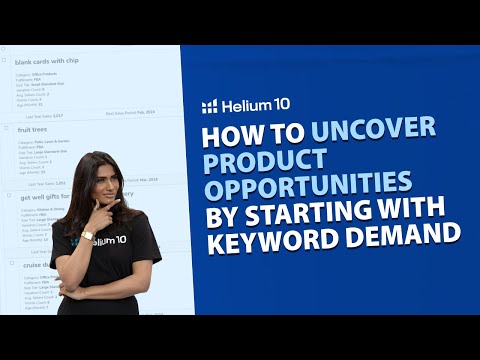
Applying these filters surfaced example keywords: 'blank cards with chip,' 'fruit trees,' 'get well gifts for women after surgery,' and 'cruise ducks for hiding with tags.'
The presenter, Carrie, and Bradley have each reportedly used this exact method at least 10 times over the past couple of years to find products that went on to launch successfully on Amazon.
Keyword-first product research — Starting Amazon product research from keyword demand data rather than from browsing existing product listings. Apply: After initial product-based research, pivot to searching keywords directly so you're building toward demand that's already been validated by shopper search behavior.
Blackbox Keywords tab — The second tab inside Helium 10's Blackbox tool, accessed by clicking 'Keywords' at the top, that lets research start from keyword filters instead of product listings. Apply: Click into the Keywords tab in Blackbox to skip manual product browsing and start your search from a more strategic, filtered position.
Search Volume filter — A minimum (and optional maximum) monthly search volume threshold used to filter keywords by demand. Apply: Set a minimum of about 3,000 in the US (or at least 1,000), and around 500 in smaller markets like Germany or the UK, to ensure decent demand.
Price Range filter — A filter setting an average price band (e.g., $20-$40) that top-ranking listings for a keyword tend to fall into, rather than a strict price cutoff. Apply: Set a price range matching a healthy profitability window for your product idea, understanding it reflects average competitor pricing, not an exact listing filter.
Max Review Count filter — A filter capping the review count of page-one competitors for a keyword (e.g., 150) to surface keywords with lighter competition. Apply: Set a max review count like 150 so results favor keywords where page-one products haven't accumulated thousands of reviews, improving your odds of standing out.
Word Count filter (longtail keywords) — A filter for the minimum number of words in a keyword phrase, used to surface longtail keywords that show clear buyer intent versus vague one-word searches. Apply: Set a minimum word count of two or more (three or four for a more niche focus) to filter out vague terms like 'kitchen' and surface precise, high-intent phrases like 'stainless steel kitchen serving spoon.'
Category filter — A filter restricting keyword results to selected Amazon categories. Apply: Select categories aligned with your brand (e.g., Kitchen, Dining, Office Products, Patio, Lawn & Garden) to narrow the keyword pool to relevant niches.
Title Density — A Helium 10-specific metric showing how many page-one listings contain the exact keyword phrase, in that exact form, in their title. Apply: Set a max title density (e.g., 5) to filter for keywords with low direct title competition, increasing the odds of ranking on page one with a well-optimized listing.
The price range filter is explicitly clarified to not restrict which listings appear by their exact price — it instead reflects the average price of top-ranking competitors, functioning as a profitability signal rather than a search constraint.
Word count is used as a practical proxy for buyer intent: a single-word search like 'kitchen' is ambiguous across many product types (knife, storage rack, bar stool) and signals browsing, while a 3+ word phrase like 'stainless steel kitchen serving spoon' signals a shopper who already knows what they want.
Title density is framed as a distinct competitive signal separate from review count — a keyword can have real demand and light review competition, yet still be hard to rank for if many listings already contain the exact phrase in their titles.
The 'cruise ducks for hiding with tags' example is used as a live proof-of-concept: thousands of monthly searches, a top product with 500+ recent sales but only 29 reviews, an Amazon's Choice badge held with just 100 reviews, and a zero-review product already breaking into the top 10 — offered as evidence the niche isn't yet saturated.
The video explicitly contrasts the speed of this method ('less than a minute in Blackbox') against manual browsing, which it claims could take 'hours' or 'days' to stumble on the same opportunity.
«eventually you're going to have to focus on keywords because keywords are really what drive visibility and sales.»
— 00:23
«It's kind of like cutting in line and starting closer to the answer»
— 00:50
«That's a longtail keyword. It's precise.»
— 02:28
«Cruise ducks for hiding with tags.»
— 03:56
«This took me less than a minute in Blackbox.»
— 04:29
«You're not guessing. You're identifying what real shoppers are searching for and spotting trends before they're saturated.»
— 04:39
Reception
Viewers found the product-research breakdown clear and actionable, with mostly enthusiastic praise despite one offhand comment about eye strain.
This is a Helium 10 pro-training tutorial that packages a specific paid-tool workflow — six filters plus one proprietary metric applied inside Blackbox's Keywords tab — as a repeatable keyword-first method for finding Amazon product opportunities, illustrated with one concrete worked example presented as validating the approach.
05:12