10:26
faceless YouTube channels
The video (a Higgsfield AI channel production) argues that the entire faceless-YouTube explainer-video pipeline — niche/topic research, scriptwriting, video generation, translation, voice cloning, thumbnails/titles, and shorts — can now run from a single chat via a Claude "skill" connected to Higgsfield through MCP, collapsing work that used to require a full production team and days of effort into one prompt.
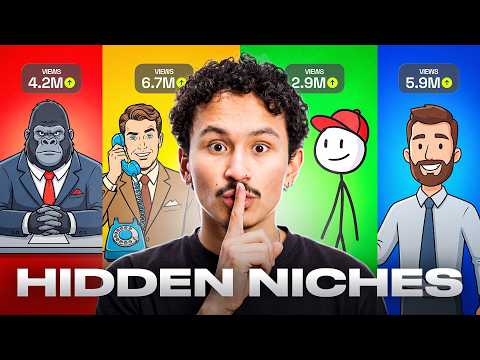
Three channels post the same faceless, ~10-minute explainer-video format and repeatedly get millions of views; the video frames this as a repeatable system, not a secret.
Setup: get the Higgsfield MCP link, add it as a connector in Claude settings, then install the accompanying "skill" the same way.
Topic selection is delegated to Claude by asking "What's actually working in explainer videos right now?"; the skill studies the reference format, researches topics online in real time, scores them, and picks one.
Educational content sits at the top of YouTube's highest-RPM niches, per the video.
ViddIQ is cited as putting channels in this format at $1,000–$10,000/month from AdSense alone, with brand deals and paid collaborations on top for larger channels.
Rule stated: pick one niche and stay in it, because the algorithm sharpens targeting with consistency; mixing niches resets that targeting to zero.
Scriptwriting has two layers: prompts carry the visuals, the script carries the meaning — the script is what keeps the video from being "beautiful nonsense."
YouTube does not automatically demonetize or block AI content; it flags content that is spam or unoriginal, whether AI-made or not — a well-written script is framed as what protects monetization.
The video states that, in its testing, Fable 5 writes the best scripts and prompts, which it says directly affects video quality and view counts.
Script structure described: the hook opens on the payoff rather than the backstory; the video is broken into chapters, each set up to pull viewers into the next; a small "open loop" is planted roughly every minute to prevent clicking away.
After the text stage (research, topic, script), the skill hands everything to Higgsfield, which generates the visuals, narration, and edit — the full production — from a single prompt.
The skill recommends a 10-minute video length because longer videos accumulate more watch time, as long as they stay interesting, which YouTube's system favors.
Demo example: a pyramid-construction video rendered as 800 scenes in one consistent visual style.
The same finished video can be re-rendered in another language (demoed in Spanish) with one prompt, framed as reaching viewers who don't speak English as a first language.
Voice cloning: go to Higgsfield Audio > Voice Presets > Create a Custom Voice, record the provided sample script, and upload it; cloning takes about a minute and produces a channel-unique voice.
A cloned voice is framed as reducing the likelihood of being flagged, since it is described as a signal that the content "could have only come from you."
Titles and thumbnails are generated in the same chat; the skill returns three title options and three thumbnails.
Stated packaging rule: one focal point that reads at phone size, and a title that opens a question the thumbnail deliberately does not answer.
Shorts are generated via the Higgsfield Shorts Studio tool from the same chat, returning about 20 shorts already cut, captioned, and ready to post with no manual editing.
Rationale for shorts: a 10-minute video forces a viewer decision ("is this worth 10 minutes?") that causes hesitation, while a short "never asks" and simply appears in the feed.
Monetization math stated: 1,000 subscribers and 4,000 watch hours total; at ~4 minutes average watched per 10-minute video, that's roughly 60,000 views needed across all content combined, not per video.
The same 20 shorts are cross-posted to YouTube Shorts, Reels, and TikTok, so three platforms discover the creator simultaneously.
A 30-day content plan can be requested in one prompt (e.g., "plan my first 30 days," 8 long videos, topics ranked by search volume), producing a month of mapped content with shorts batches per video.
Multiple videos from the plan (e.g., videos two and three) can be started and generated in parallel while another finishes.
Posting-schedule recommendation: two long-form videos per week and shorts every day, at consistent days/times, so both the audience and the recommendation system learn the schedule.
After publishing, the recommended feedback signal is average view duration; where viewers drop off becomes the script note for the next video, testing whether the planted open loops worked.
The video mentions an alternative path — selling AI videos to businesses instead of running a channel — referencing a prior experiment covered elsewhere.
Closing call to action: use the prompts in the description, connect to the 11 Labs (ElevenLabs) MCP, type one sentence about a topic, and ask for 20 shorts in the same chat once the render finishes.
Higgsfield MCP connector — An MCP (Model Context Protocol) link from Higgsfield AI that, once added as a connector in Claude's settings, lets Claude call Higgsfield's video tools directly from a chat. Apply: Go to Higgsfield AI, grab the MCP link, then in Claude go to Settings > Connectors > Add, name it, paste the link, and click connect.
Higgsfield Skill — A Claude skill (installed the same way as the MCP connector) that automates topic research and script drafting so the user doesn't have to perform those steps manually. Apply: Install the skill via the link in the description, then prompt Claude directly (e.g., asking what's working in explainer videos) to let the skill research topics and draft the script.
Fable 5 — The Claude model the video says it tested and found writes the best scripts and prompts for this workflow, directly affecting video quality and views. Apply: Use Fable 5 as the model behind the Claude chat/skill that generates the script and image/video prompts for the explainer video.
Higgsfield video generation/production — The engine that takes the finished script and prompts and produces the full video — visuals, narration, and edit — as a single generation pass. Apply: After the skill finishes the script, let it hand off to Higgsfield in the same chat and specify the target length (e.g., 10 minutes) before it renders.
Voice Presets / voice cloning — A Higgsfield Audio feature that clones a creator's own voice from a short recorded sample so narration sounds like them instead of a generic AI voice. Apply: In Higgsfield AI, open Audio > Voice Presets > Create a Custom Voice, record yourself reading the given sample script, and upload it to save it as a reusable preset.
Higgsfield Shorts Studio — A tool, invoked from the same Claude chat, that automatically cuts a finished long-form video into roughly 20 shorts, already captioned and ready to post. Apply: Ask Claude to create shorts using the Higgsfield Shorts Studio tool once the long video is done, without manually editing any clips.
One-niche consistency rule — A stated rule that staying in a single niche lets the algorithm learn who to recommend a channel's videos to, while mixing niches resets that targeting. Apply: Keep every upload in the same topical lane so each video sharpens the algorithm's targeting rather than diluting it.
Open-loop retention technique — A scripting device where a small unresolved question or tease is planted roughly every minute so viewers keep watching to find the answer. Apply: Structure the script so each chapter plants a mini open loop that only resolves later in the video, then check average view duration afterward to see if the loops held attention.
Hook-on-payoff opening — A scripting principle where the video opens on the payoff/climax rather than building up through backstory first. Apply: Write the opening lines around the most compelling outcome or claim of the topic, saving background explanation for after the hook.
Packaging rule (thumbnail/title) — A two-part rule for titles and thumbnails: the thumbnail should have one focal point readable at phone size, and the title should open a question the thumbnail deliberately leaves unanswered. Apply: When picking among generated titles/thumbnails, choose the option with a single clear focal point and a title-thumbnail gap that creates curiosity.
YouTube Partner Program monetization math — The requirement of 1,000 subscribers and 4,000 watch hours, reframed in the video as roughly 60,000 total views (at ~4 minutes average watched per 10-minute video) needed across all uploaded content combined. Apply: Track cumulative views/watch time across the whole channel rather than expecting any single video to clear the threshold alone.
Average view duration feedback loop — A post-publish metric the video recommends monitoring to see exactly where viewers drop off in each video. Apply: After a video goes live, check average view duration and use the drop-off point as a script note for what to fix in the next video.
30-day content planning prompt — A single Claude prompt (e.g., "plan my first 30 days," specifying a number of long videos and requesting topics ranked by search volume) that returns a full month's content plan. Apply: Ask the skill in chat to plan a set number of videos over 30 days ranked by search volume, then reference that plan to know what to produce next.
Parallel video generation — The ability to start generating multiple videos from the content plan at the same time rather than one at a time. Apply: Prompt Claude to start two or more videos from the saved plan simultaneously while another video is still finishing.
Multi-language re-render — A feature that lets the same finished video be regenerated in a different language with a single prompt, keeping visuals but changing narration/language. Apply: After the original video is complete, type one line requesting the video in another language (e.g., Spanish) to produce a translated version from the same chat.
Cross-platform shorts distribution — Posting the same batch of generated shorts simultaneously to YouTube Shorts, Reels, and TikTok. Apply: Take each of the ~20 generated shorts and publish it across all three platforms so each discovers the channel at once and points back to it.
ElevenLabs (11 Labs) MCP — A separate MCP connector mentioned in the video's closing call-to-action, used alongside the Higgsfield workflow. Apply: Connect to the 11 Labs MCP as part of setup before typing the one-sentence topic prompt to start the video generation process.
The video's stated defense against AI-content demonetization isn't avoiding AI but writing a good script — it claims YouTube's flags target spam/unoriginal content regardless of whether it's AI-made.
Shorts are justified not as extra volume for its own sake but as removing viewer decision friction: a long video asks for a 10-minute commitment, a short asks for nothing.
The 4,000-watch-hour monetization threshold is reframed as an aggregate view-count problem (~60,000 total views at ~4 min average watch) rather than a per-video hurdle, making the bar seem more attainable.
Voice cloning is presented as doing double duty: it personalizes the channel and, per the video, also functions as an anti-flagging signal by making the content traceably "yours."
The "open loop" scripting device and the post-publish "average view duration" metric are tied together explicitly — the same retention trick planted in the script is described as the thing later graded by drop-off data.
Translation is framed as a distribution lever, not a bonus feature, on the premise that most online viewers aren't native English speakers.
The video frames cross-video visual/style consistency (800 scenes, one style) — not raw generation ability — as the previously unsolved bottleneck of AI video production that this workflow claims to fix.
«So, can one prompt actually run that whole system and match the success?»
— 00:14
«This is not just a milestone we hit, it's the one you gave us.»
— 00:36
«The prompts carry the visuals, and the script carries the meaning that saves it from being beautiful nonsense.»
— 02:43
«YouTube doesn't demonetize or block AI content automatically. It only flags the content that is either spam or unoriginal, be that AI or not.»
— 02:54
«Look, if I saw this without context, I'd never guess it was made with AI.»
— 04:34
«Anyone can generate a pretty looking video, but 10 coherent minutes in one consistent style all alone, that just didn't exist before at any price.»
— 04:48
«A short never asks, it just shows up in the feed while they're scrolling. No decision and no commitment.»
— 07:53
«This kind of output used to take an entire production team. This was physically impossible before for one person.»
— 09:15
Reception
Audience is impressed by the video quality and deeply curious about the technical implementation, with overwhelming appreciation and minimal criticism.
The video is a step-by-step tutorial that doubles as a promotion for Higgsfield's own MCP/skill integration with Claude and Fable 5, presenting a detailed, specific workflow (setup, scripting logic, packaging rules, monetization math, posting cadence) while leaving cost/credit usage for each video unaddressed within the video itself.
10:26